
Navigation
Yuko Dashboard → Manage Reviews -> Questions & Answers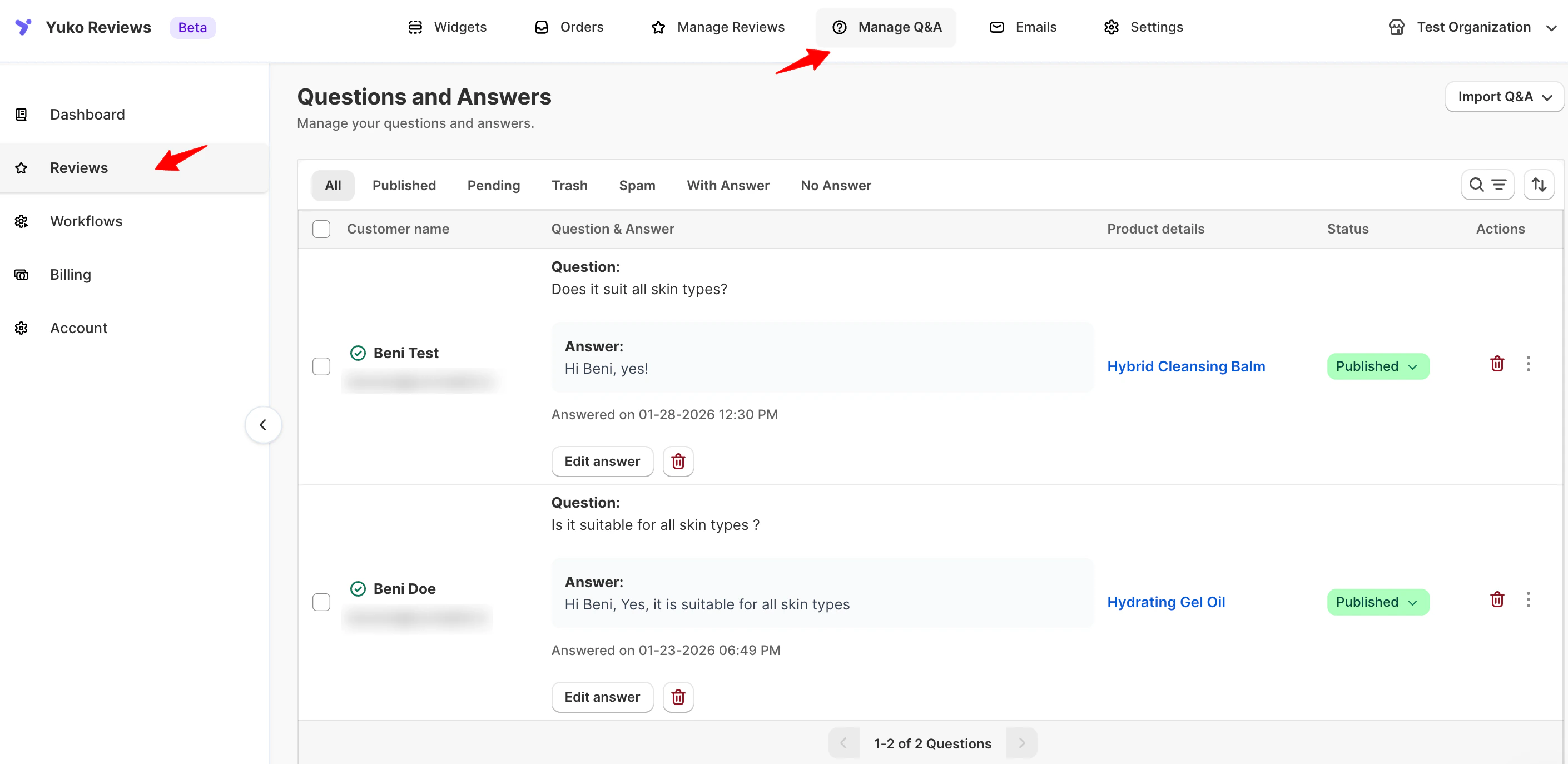
- Customer name and email
- Question content
- Date asked
- Associated product
- Current status
- Answer (if added)
- All
- Published
- Pending
- Trash
- Spam
- With Answer
- No Answer
Question Statuses
Each question can be managed using the Status dropdown:- Pending
The question is saved but not yet visible on the storefront. - Published
The question (and answer, if available) is live on the product page. - Trash
Temporarily removed from view. - Spam
Filters out unwanted or irrelevant submissions.
Managing Questions
Use the Actions menu next to each question to manage it.Answering Questions
You can reply to customer questions directly from the dashboard.To add an answer:
- Go to Manage Q&A
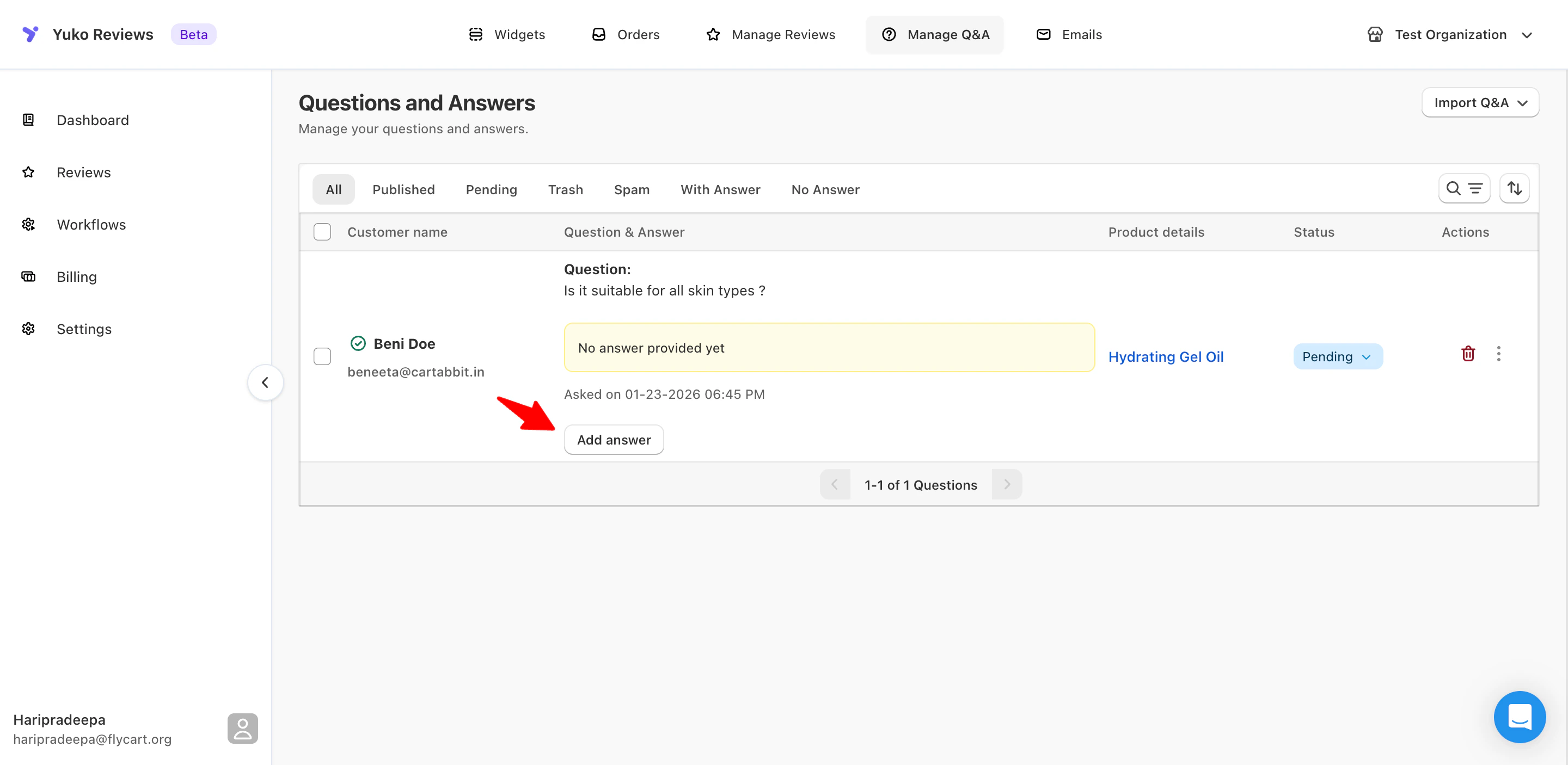
- Locate a question with No answer provided yet
- Click Add answer
- Enter your response

- Choose if you want to publish the question or notify customer
For notifying customers, you need to have “Question answered & approved email” template enabled
Editing or Removing an Answer
- Click Edit answer to update your response
- Use the delete icon to remove an answer if needed