
**In the Yuko Dashboard:** Account → Review Settings → Review Restrictions & Limits
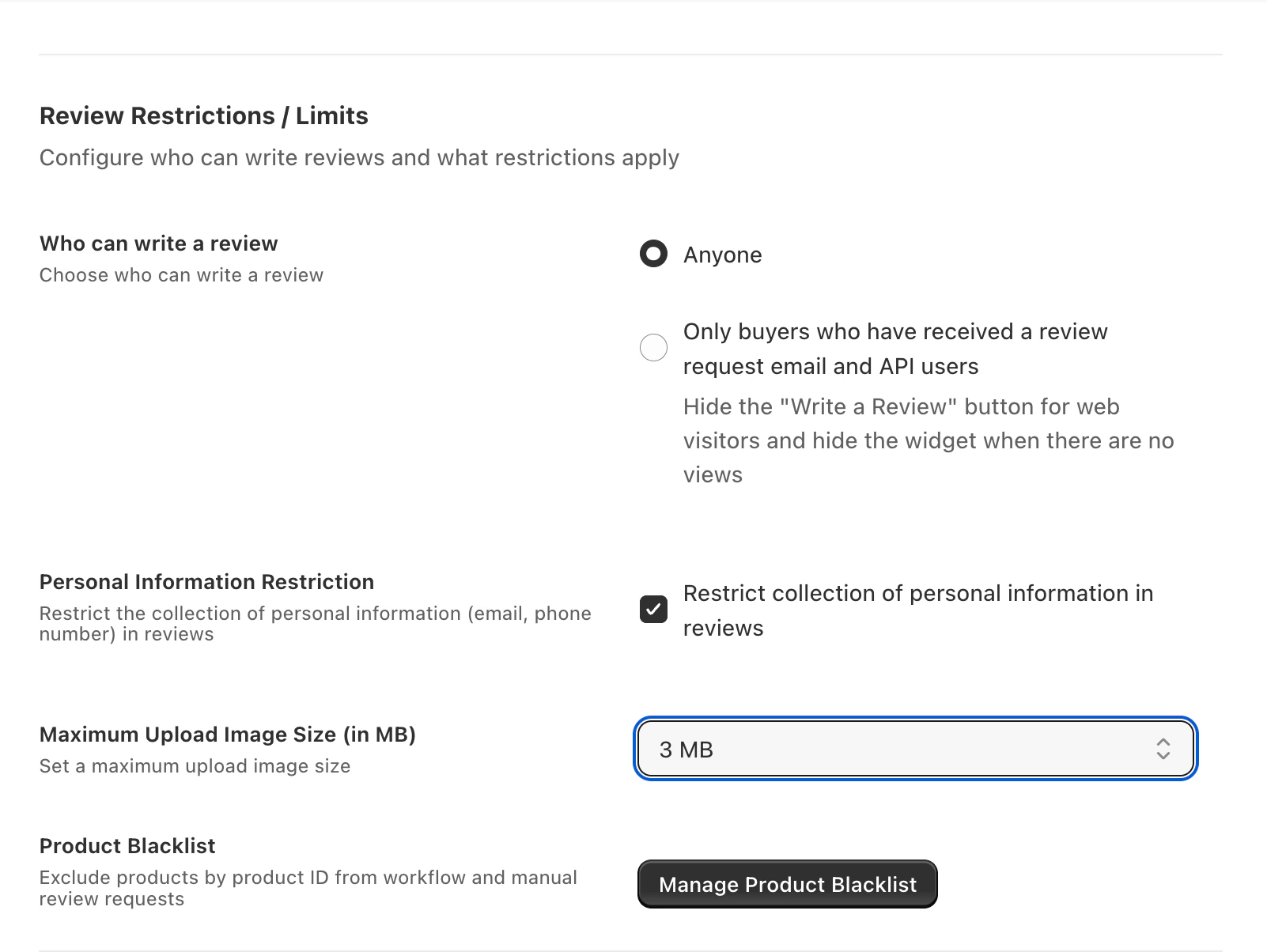
Available settings
Who can write a review
Who can write a review
Choose between:
- Anyone — any visitor can submit a review (even non-customers)
- Only buyers who received a review request email + API users — locks review submission to customers you explicitly invited, plus your integrations
Personal information restriction
Personal information restriction
When enabled, Yuko automatically masks email addresses and phone numbers found inside review text before publishing.
- Protects customers who unintentionally share private info
- Required for GDPR-compliant public review display
- Does not affect the review’s rating or visibility
Maximum upload image size
Maximum upload image size
Sets the per-image size cap for photo reviews.
- Defaults to 5 MB per image — fine for phone photos
- Lower the limit (e.g. 2 MB) to speed up mobile uploads
- Raise it (up to 15 MB) for stores where high-res detail matters (art, crafts, jewelry)
Related controls
These live on their own pages:Email Blacklist
Stop Yuko from emailing specific addresses or whole domains. Useful for internal inboxes, test accounts, and unsubscribers.
Product Blacklist
Exclude specific products from review collection — gift cards, services, discontinued SKUs, samples.
Recommended combination for low spam risk
- Restrict submissions to invited buyers — blocks drive-by spam
- Enable personal information restriction — protects customer privacy
- Maintain the Email Blacklist — block known-bad addresses and disposable email providers
- Keep image size reasonable (3–5 MB) — balances quality and upload speed
Need Help?
Book Free Setup Call
Talk to our team for personalized setup helpTime: 30 minutes
Contact Support
Reach our team at yukoreviews.com/supportResponse time: Within 24 hours
View All Guides
Browse detailed guides for every feature
Integration Help
Connect Yuko with other tools