
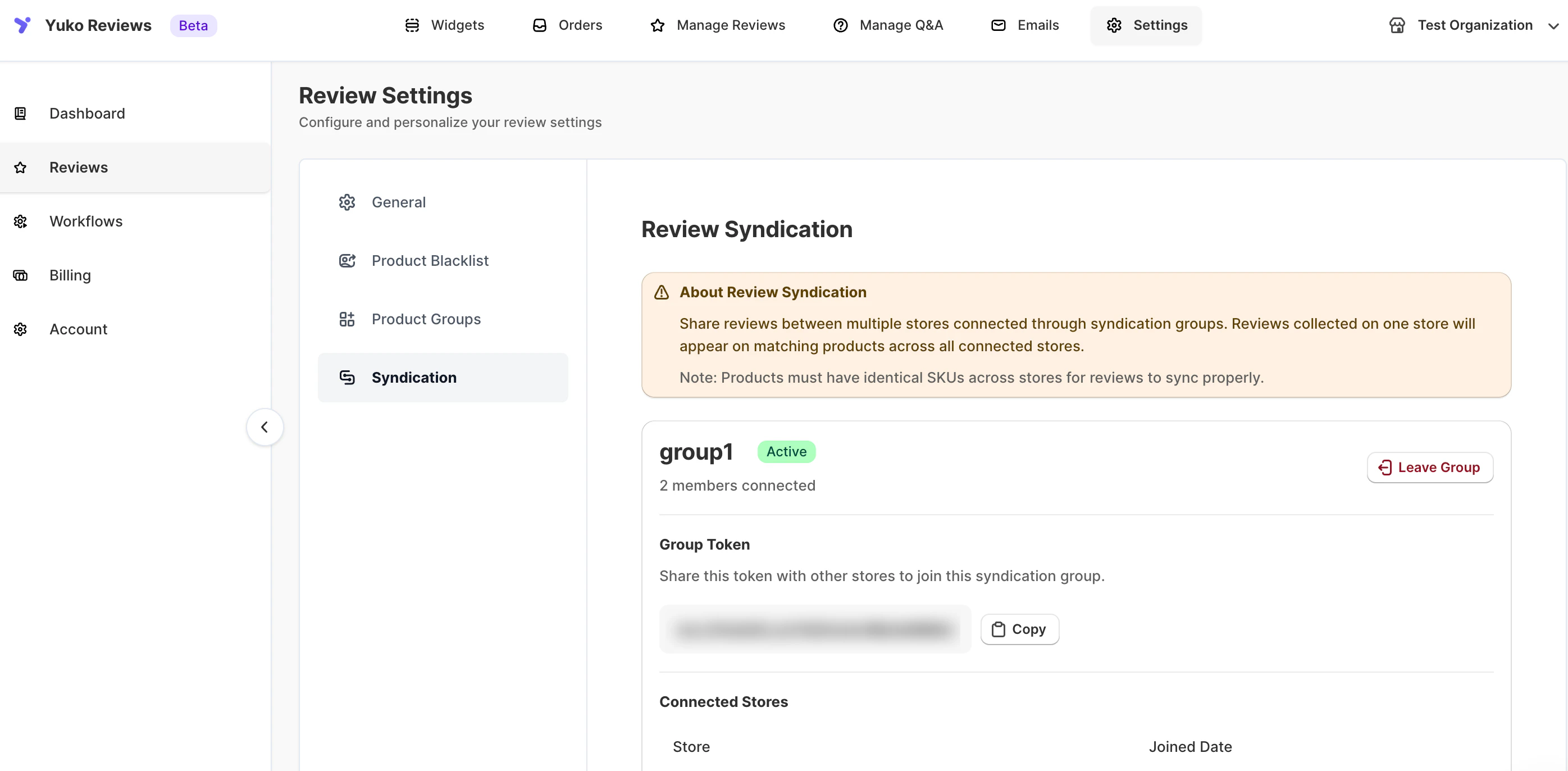
How Review Syndication Works
When stores are connected through a syndication group:- Reviews collected on one store are shared with other connected stores
- Reviews appear on matching products across all stores in the group
- Syndicated reviews stay in sync automatically
Important: Products must have identical SKUs across all connected stores for reviews to sync correctly.
Create a Syndication Group
You can create a new syndication group and invite other stores to join it.To Create a New Group
- Go to Settings → Reviews → Syndication
- Under Create a New Syndication Group, enter:
- Group Name
- Click Create Group
- Your store is automatically added as the first member
- A unique Group Token is generated
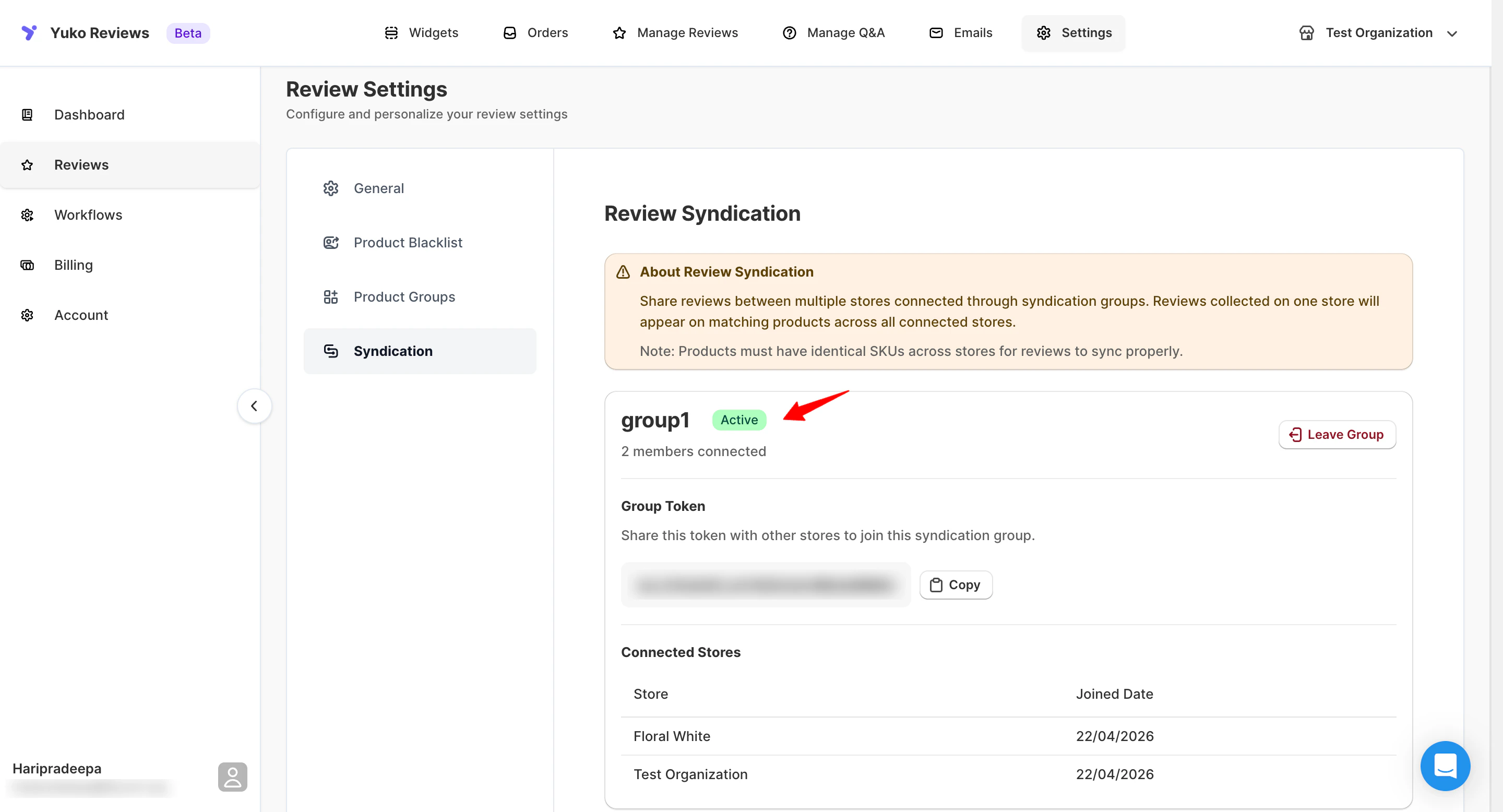
Group Token
The group token is used to connect additional stores to the syndication group. From the group details page, you can:- Copy the group token
- Regenerate the token if needed
- Share the token securely with other store owners
🔐 Anyone with the token can request to join the group.
Join an Existing Syndication Group
If another store has shared a group token with you, you can join their syndication group.To Join a Group
- Go to Settings → Reviews → Syndication
- Under Join an Existing Group, paste the Group Token
- Click Join Group

Manage Syndication Groups
For each syndication group, you can view and manage:- Connected stores
- Store join dates
- Group status (Active / Inactive)
- Group token access
Activate or Deactivate a Group
- Active: Reviews are shared across connected stores
- Inactive: Review syncing is paused without removing stores
Delete a Syndication Group
You can delete a syndication group at any time. When a group is deleted:- All stores are disconnected
- Review syncing stops immediately
- Existing reviews remain intact on each store
⚠️ Deleting a group cannot be undone.
Best Practices
- Ensure SKUs match exactly across all connected stores
- Use clear group names for easy identification
- Share group tokens securely
- Test syndication with a small group before scaling
When to Use Review Syndication
Review Syndication is ideal if you:- Operate multiple storefronts or regions
- Sell the same products across different stores
- Want to build social proof faster