
- Skip internal team inboxes and test accounts
- Block support, billing, or no-reply addresses that shouldn’t get marketing email
- Respect customers who’ve asked not to be emailed
- Prevent bounces from known-bad domains
**In the Yuko Dashboard:** Account → Email Blacklist
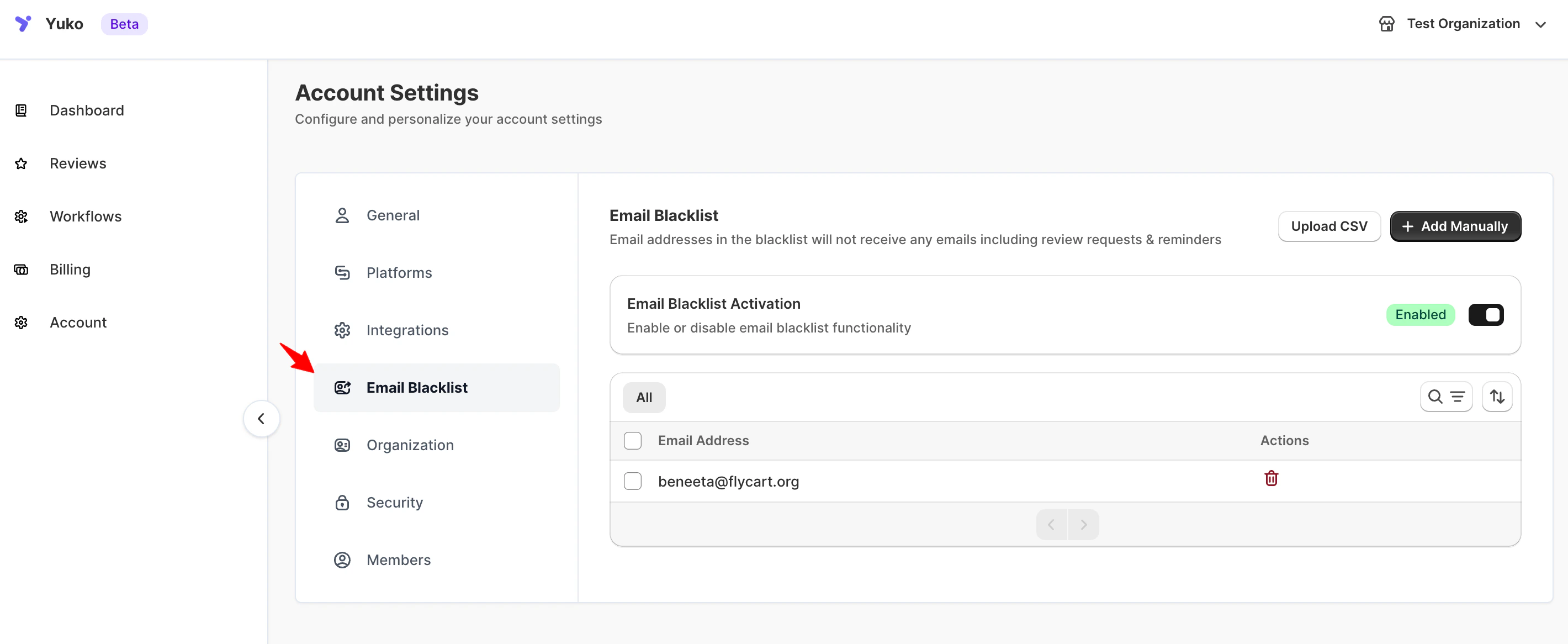
How it works
- Blacklisted addresses never receive any Yuko email — automated or manual.
- The filter applies across every store and workflow on your account.
- Matching is case-insensitive and supports wildcards (
*). - Removing an address immediately re-enables email delivery for future sends.
- Existing reviews are not affected. Blacklisting only stops future email — it does not delete reviews that address has already submitted.
Add addresses to the blacklist
You can add entries one at a time, in bulk via comma-separated list, or by CSV upload.- Add manually
- Upload CSV
Click Add Manually and enter one or more addresses.Supported formats:
Separate multiple entries with commas. Invalid formats are skipped without an error — double-check your list before saving.
Remove addresses from the blacklist
- Find the entry in the list (use search for large lists)
- Click the Remove icon next to the entry
- Future emails to that address will resume on the next scheduled send
Wildcard recipes
Block every address on your own domain
Block every address on your own domain
Useful during testing or for internal QA accounts.Removes review requests for your whole team in one entry.
Block role-based addresses globally
Block role-based addresses globally
Prevents bounces and complaints from shared inboxes that shouldn’t receive marketing email.
Block a gift-card or test provider
Block a gift-card or test provider
If gift orders send to a placeholder address, you can exclude that domain entirely.
How this differs from other controls
Use the Email Blacklist when the issue is who receives mail. Use the Product Blacklist when the issue is which products get reviewed.
Need Help?
Book Free Setup Call
Talk to our team for personalized setup helpTime: 30 minutes
Contact Support
Reach our team at yukoreviews.com/supportResponse time: Within 24 hours
View All Guides
Browse detailed guides for every feature
Integration Help
Connect Yuko with other tools