
Get 2-3x More Reviews with Small Rewards
Reviews help build trust and improve conversions. Offering a small reward (10% off or $5 credit) encourages more customers to share their experience. What you’ll achieve:- Thank customers immediately for adding reviews.
- Encourage more customers to add reviews and photos (2-3x increase)
- Build customer loyalty with appreciation rewards
- Boost conversion rates with stronger social proof
Impact: Higher review volume | Typical reward: 10% off or $5-10 credit
How It Works
Yuko Dashboard → Reviews → Emails → Reward for Review Email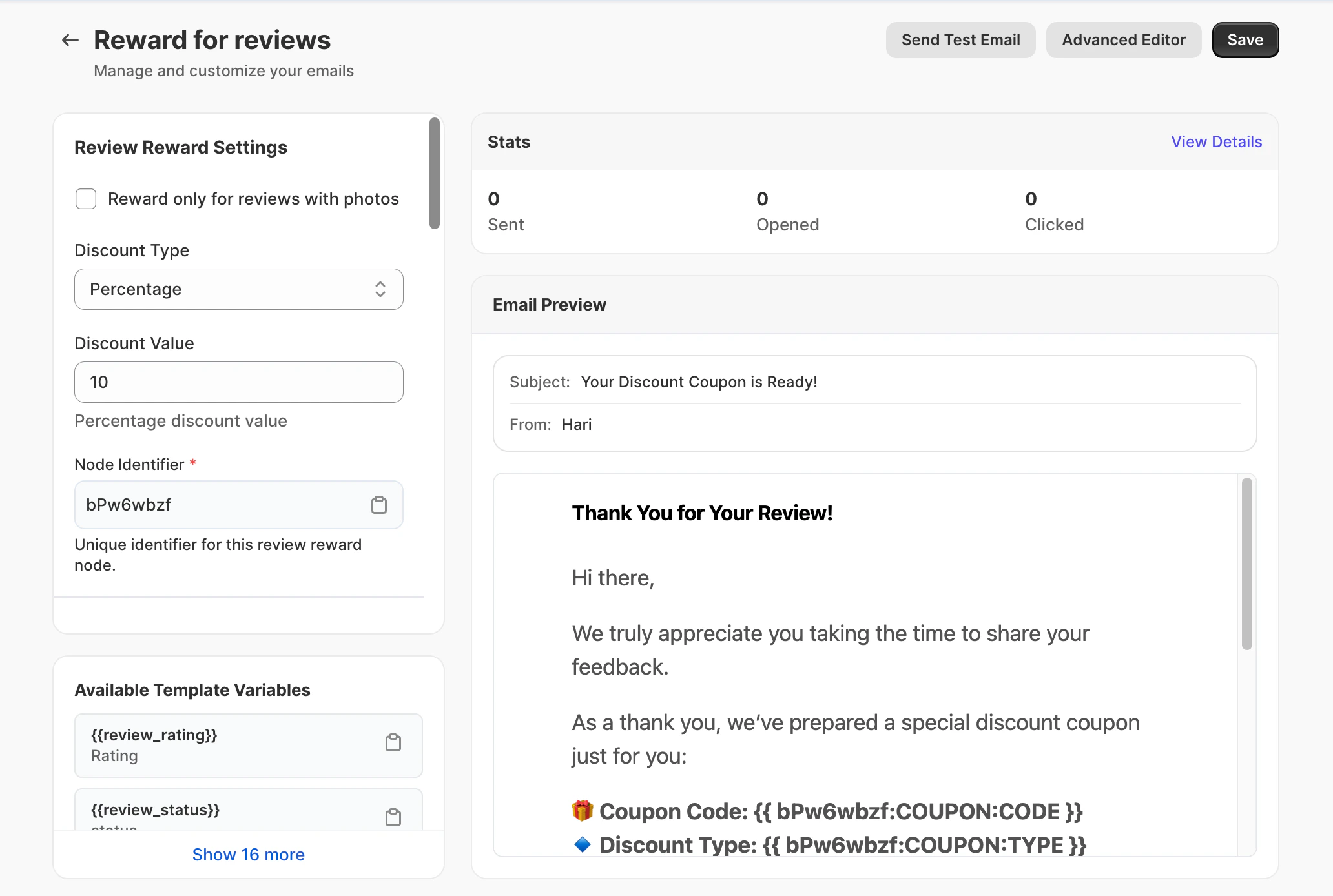
The Automatic Process
Customer Submits Review
The customer writes a review of the product.
Yuko Detects Review or Photo
Yuko automatically detects the submitted review.Smart condition: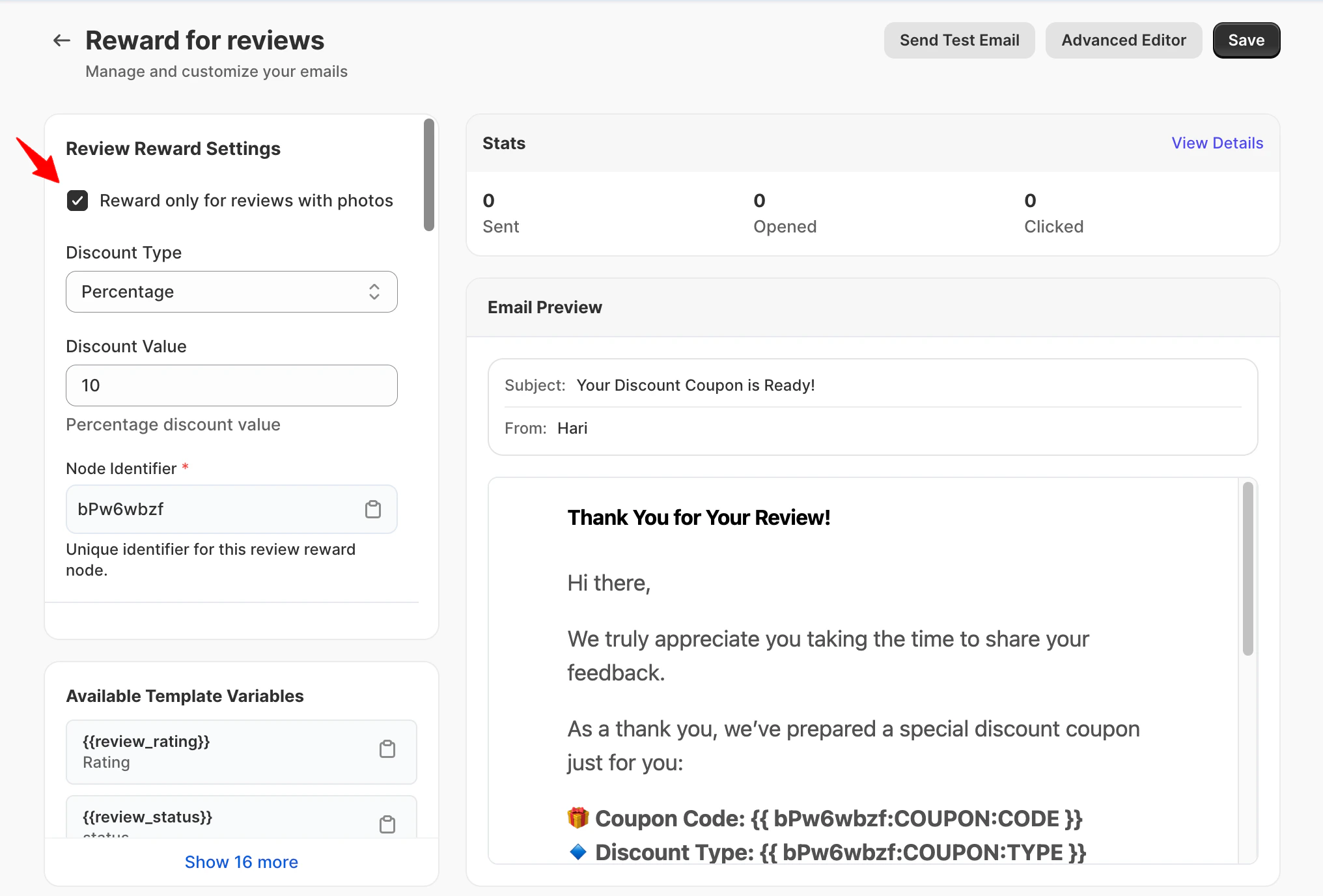
- If the “Reward_ only for reviews with photos” check box _is enabled, only reviews that include photos will qualify
- If disabled, all reviews (with or without photos) are eligible
Reward Email Sends Immediately
Within minutes, the customer receives a thank-you email with their reward code.Timing: Instant gratification = happier customers
Customer Uses Reward
The customer applies the discount code on their next purchase.Result: You get more reviews + increased customer lifetime value
Why Reviews Matter
Build Trust
Reviews = Credibility | Photos = Authenticity
- Text reviews share real experiences
- Photos prove real customers
- Shoppers trust photos 3x more
- Reduces “is this real?” doubts
Show Real Results
From Words to Visual Proof
- Reviews explain product quality
- Photos show real-life usage, size, and fit
- Spot potential issues
- Get styling ideas
Increase Conversions
Stronger Social Proof
- Reviews improve buying confidence
- Photo reviews boost engagement
- Visual reviews answer unspoken questions
- Reduce cart abandonment
Stand Out
Competitive Advantage
- Most products have fewer than 5% photo reviews
- Your 30% photo rate = huge advantage
- Better-looking product pages
- More social proof
Reward Settings
Discount Type: Choose Your Reward
Discount Type: Choose Your Reward
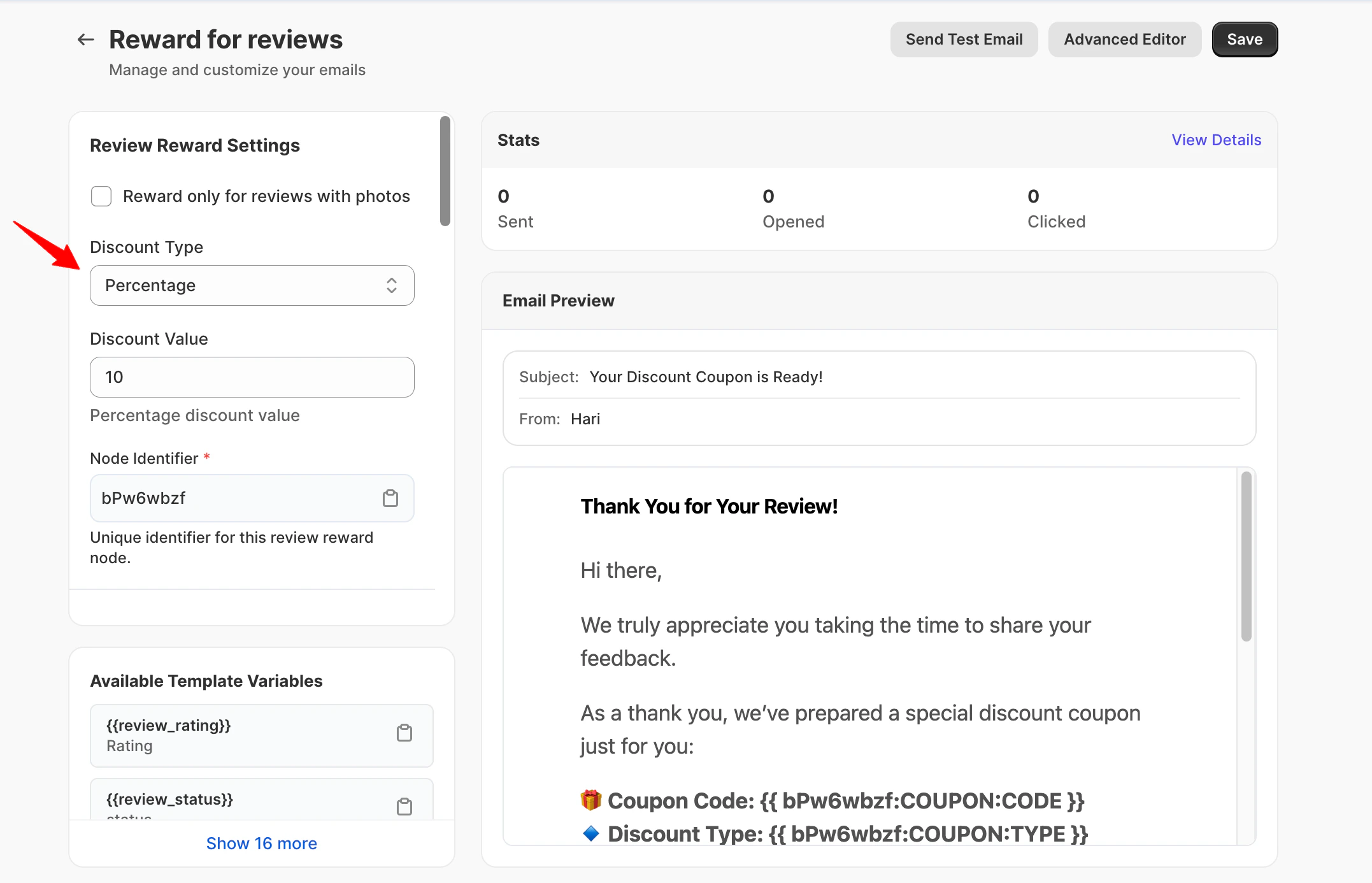
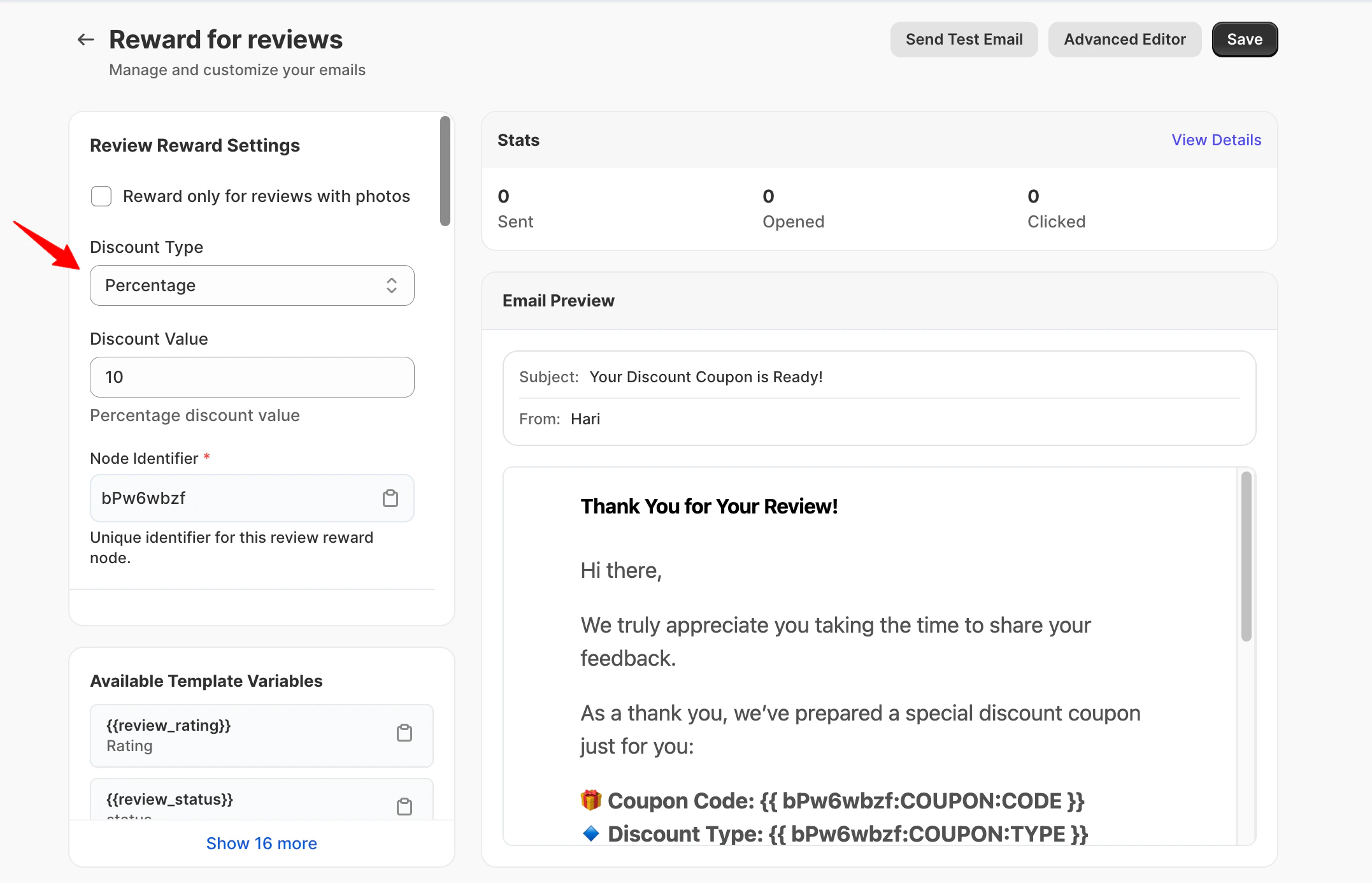
- Percentage – A percentage discount on the next order
- Fixed Amount – A flat discount value (for example, ₹200 or $10 off)
- Free Shipping – Free shipping on the next order
Discount Value: How Much to Offer
Discount Value: How Much to Offer
Setting: Discount Value (for percentage or amount discounts)Finding the right amount:
General guidelines:
- New store: Start with 15% to build momentum
- Established store: 10% is plenty
- High-margin products: Can afford 15-20%
- Low-margin products: Stick to 10% or free shipping
Email subject line
Email subject line
What this setting does
Defines the subject line shown in the customer’s inbox.Best practices for reward subject lines
Subject lines should highlight appreciation and rewards without sounding transactional.✅ Recommended examples
- Thanks for reviewing — here’s a reward
- _Your photo review for _
- A thank-you for your photo review
- _We appreciate your review on _
❌ Avoid
- “Guaranteed reward”
- Urgency language (“Act now”, “Final chance”)
- Overly promotional wording
Preview Text
Preview Text
Email Title
Email Title
Email Message
Email Message
What makes a good reward email
- Confirms the review was received
- Acknowledges the extra effort of adding a photo
- Clearly explains that a reward is included
- Short and respectful
Example message structure (shortcode-safe)
Supported review elements
You can optionally include:- – Display the rating
- – Show the review text
- – Review submission date
- – Product image
- – Product page link
- – Direct link to the review
What to avoid
- Asking for another review
- Making rewards feel conditional
- Long explanations or legal language
- Multiple calls to action
Available Shortcodes
- Review Details
- Reward/Coupon
- Order Info
- Display Review
Information about their review:
{{review_rating}}- Star rating (1-5){{review_author_name}}- Customer’s name{{review_content}}- Their review text{{review_product_name}}- Product they reviewed{{review_product_url}}- Link to product page{{review_link}}- Link to their review{{review_created}}- When they submitted
Next Steps
Choose Your Reward
Decide on reward type and amount.Recommended: 10% off next order Location: Reviews → Emails → Reward for Review Email
Set 30-Day Expiry
Configure expiration date for reward codes.Why: Creates urgency without pressure
Test Complete Flow
Submit test review with photo and verify reward email sends correctly.Check:
- Email arrives quickly
- Code works at checkout
- Discount applies correctly
- Expiry date is accurate
Enable & Monitor
Turn on photo rewards and watch the photo submission rate increase.Expected: Photo rate increases from 10% to 30-40% within 30 days
Need Help?
Book Free Setup Call
Talk to our team for personalized setup helpTime: 30 minutes
Contact Support
Reach our team at yukoreviews.com/supportResponse time: Within 24 hours
View All Guides
Browse detailed guides for every feature
Integration Help
Connect Yuko with other tools
Pro tip: Photo rewards have the highest ROI of any review feature. Stores see 2-3x more photo reviews with rewards, and those photos increase conversion rates by 20%. This feature pays for itself many times over.