> ## Documentation Index
> Fetch the complete documentation index at: https://docs.yukoreviews.com/llms.txt
> Use this file to discover all available pages before exploring further.
> Enable a Q&A section where shoppers can post questions and receive helpful responses.
# Questions & Answers
Give your shoppers confidence before they buy.
\
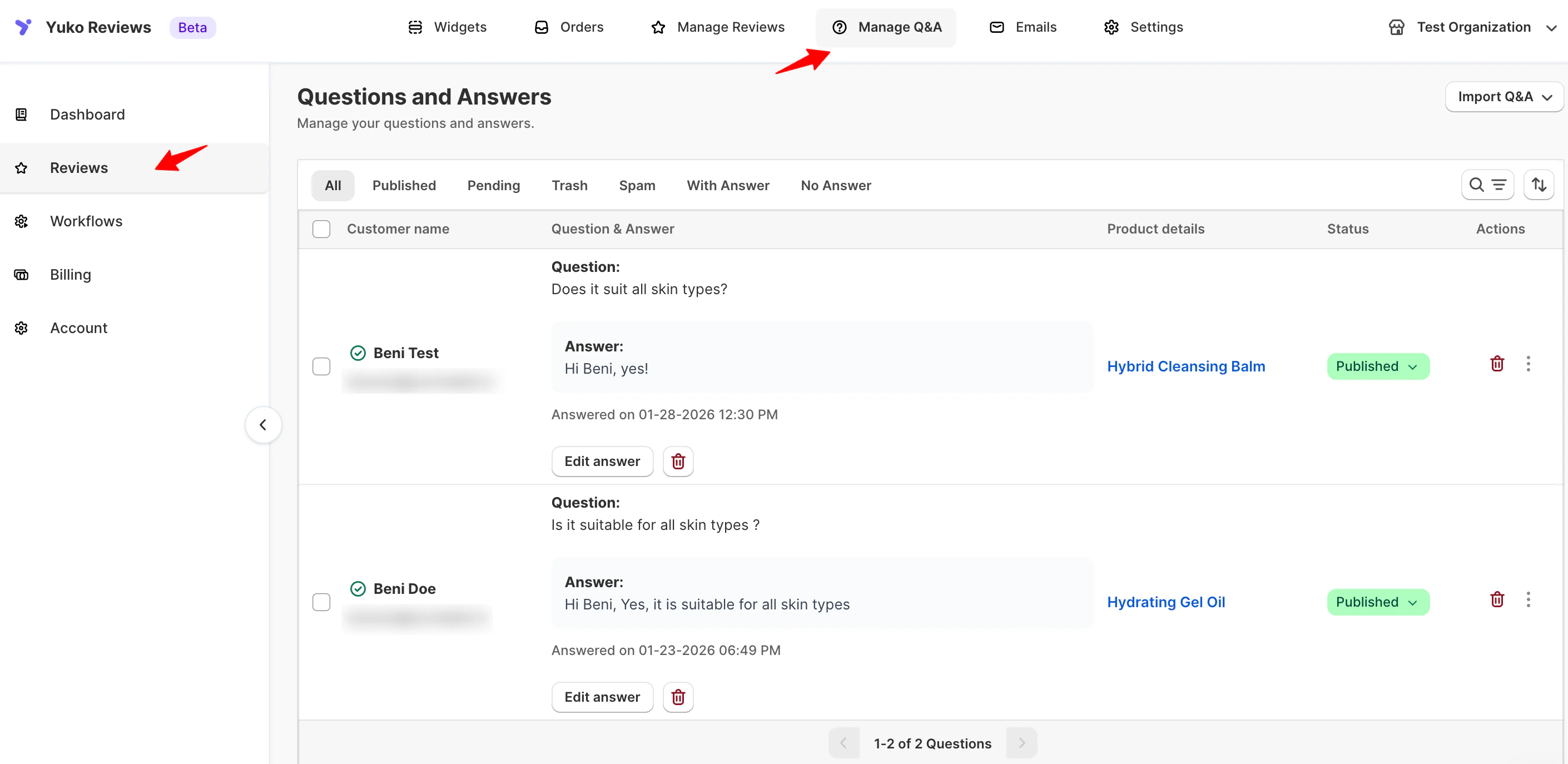
Yuko’s **Questions & Answers (Q\&A)** feature lets customers ask questions directly on your product pages — and allows you (or other buyers) to reply publicly.
This builds transparency, reduces support tickets, and encourages more informed purchases.
### **Navigation**
Yuko Dashboard → **Manage** **Q & A**
 ### **Overview**
With Yuko Q\&A, you can:
* Collect customer questions directly from product pages.
* Display answers publicly for other visitors.
* Reply as the store admin or allow peer responses.
* Moderate content before it goes live.
Each question and answer includes full moderation options — so you stay in control of what appears on your storefront.
## Importing Questions & Answers from Judge.me:
Yuko allows you to import existing **Questions & Answers (Q\&A)** from Judge.me, making it easy to migrate your product knowledge without starting from scratch.
### How to Import Q\&A from Judge.me
**Navigation: Yuko Dashboard → Reviews → Manage Q\&A**
1. Open **Manage Q\&A** from the Yuko dashboard.
2. Click **Import Q\&A** in the top-right corner of the page.
3. Select **Import from Judge.me**.
### **Overview**
With Yuko Q\&A, you can:
* Collect customer questions directly from product pages.
* Display answers publicly for other visitors.
* Reply as the store admin or allow peer responses.
* Moderate content before it goes live.
Each question and answer includes full moderation options — so you stay in control of what appears on your storefront.
## Importing Questions & Answers from Judge.me:
Yuko allows you to import existing **Questions & Answers (Q\&A)** from Judge.me, making it easy to migrate your product knowledge without starting from scratch.
### How to Import Q\&A from Judge.me
**Navigation: Yuko Dashboard → Reviews → Manage Q\&A**
1. Open **Manage Q\&A** from the Yuko dashboard.
2. Click **Import Q\&A** in the top-right corner of the page.
3. Select **Import from Judge.me**.
 4. Upload a **CSV file exported from Judge.me**.
5. Click **Import** to start the process.
### What Happens Next
* The uploaded file is securely processed
* All valid questions and answers are imported into Yuko
* Imported Q\&A becomes available immediately on your storefront widgets
### File Requirements
* File format: **CSV**
* Maximum file size: **1 MB**
* The file must be exported directly from **Judge.me**
**Tip:** Make sure the CSV structure matches [Judge.me](http://Judge.me)’s export format to ensure a smooth import.
This import option helps you preserve customer questions, answers, and product context while switching to Yuko without losing valuable content or SEO benefits.
This feature is available only on Growth Plan
4. Upload a **CSV file exported from Judge.me**.
5. Click **Import** to start the process.
### What Happens Next
* The uploaded file is securely processed
* All valid questions and answers are imported into Yuko
* Imported Q\&A becomes available immediately on your storefront widgets
### File Requirements
* File format: **CSV**
* Maximum file size: **1 MB**
* The file must be exported directly from **Judge.me**
**Tip:** Make sure the CSV structure matches [Judge.me](http://Judge.me)’s export format to ensure a smooth import.
This import option helps you preserve customer questions, answers, and product context while switching to Yuko without losing valuable content or SEO benefits.
This feature is available only on Growth Plan