> ## Documentation Index
> Fetch the complete documentation index at: https://docs.yukoreviews.com/llms.txt
> Use this file to discover all available pages before exploring further.
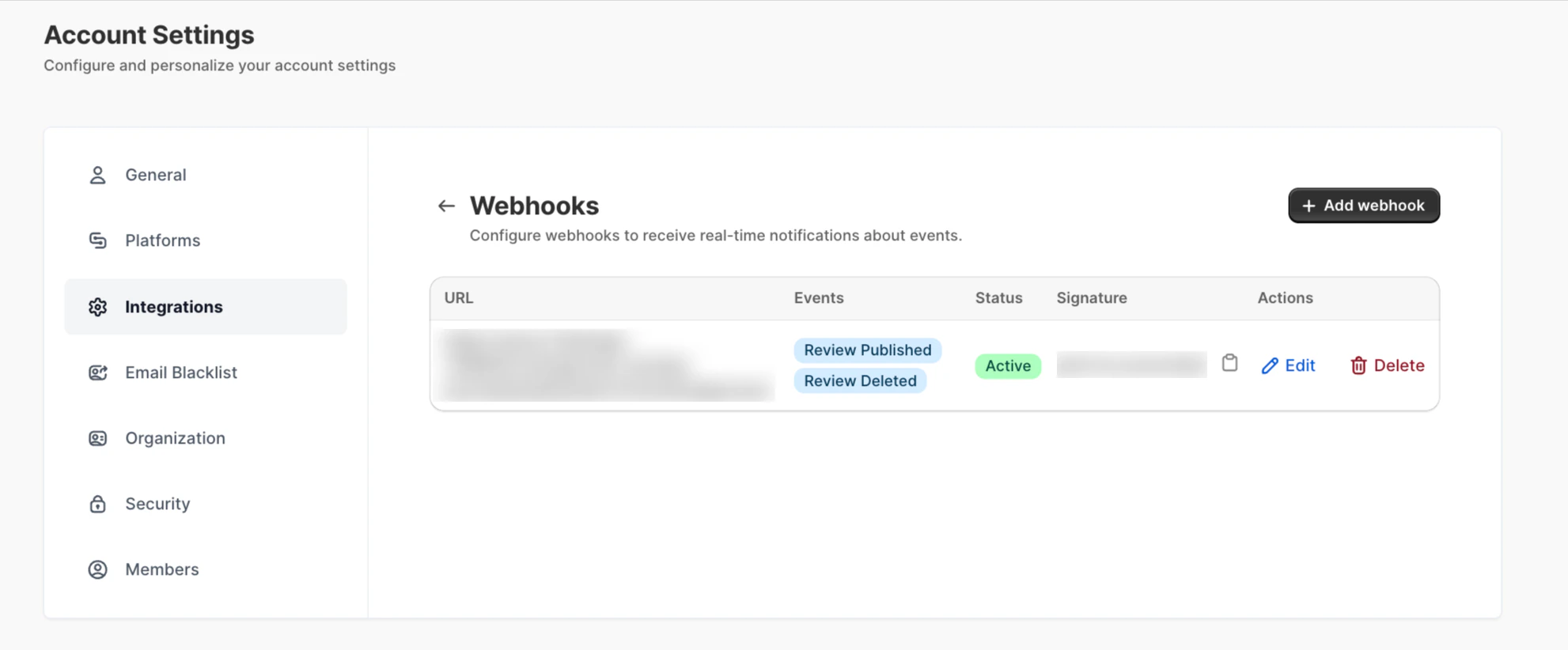
# Webhooks
> Use webhooks to send real-time review events to external apps and services.
### **Navigation**
**Yuko Dashboard → Account → Integrations → Webhooks**\
\
Click**Configure**
 ## **Overview**
Webhooks allow Yuko to send real-time data to any external system the moment an event occurs.\
They are perfect for advanced setups — such as custom dashboards, CRMs, ERPs, Slack notifications, or any tool that can receive JSON data.
When an event is triggered in Yuko, your webhook endpoint instantly receives the payload, allowing you to automate workflows beyond the Yuko ecosystem.
***
## **Setup Steps**
1. Go to **Account → Integrations → Webhooks** **→ Configure**
2. Click **Add Webhook**.
3. Enter the **Webhook URL** where Yuko should send the event data.
4. Choose which events should trigger the webhook:
* **Review Submitted**\
Fires when a new review is created (pending or auto-approved).
* **Review Approved**\
Fires when a review is published to your storefront.
* **Review Replied**\
Fires when you post a reply to a customer’s review.
* **Order Completed**\
Fires when Yuko receives an update that an order has been completed/fulfilled through your store integration.
5. Click **Save** to activate the webhook.
***
## **Example Use Cases:**
### **1. Sync reviews to your CRM**
Automatically send every approved review to systems like HubSpot, Zoho, or Salesforce to enrich customer profiles.
### **2. Trigger Slack or Teams notifications**
Notify your support or marketing team instantly when a new review arrives or when a customer responds.
### **3. Build custom analytics dashboards**
Push review and order data into BI platforms (Power BI, Looker Studio, etc.) for deeper insights.
### **4. Automate loyalty or rewards systems**
Trigger bonus points or coupons when customers leave verified reviews.
***
## **Overview**
Webhooks allow Yuko to send real-time data to any external system the moment an event occurs.\
They are perfect for advanced setups — such as custom dashboards, CRMs, ERPs, Slack notifications, or any tool that can receive JSON data.
When an event is triggered in Yuko, your webhook endpoint instantly receives the payload, allowing you to automate workflows beyond the Yuko ecosystem.
***
## **Setup Steps**
1. Go to **Account → Integrations → Webhooks** **→ Configure**
2. Click **Add Webhook**.
3. Enter the **Webhook URL** where Yuko should send the event data.
4. Choose which events should trigger the webhook:
* **Review Submitted**\
Fires when a new review is created (pending or auto-approved).
* **Review Approved**\
Fires when a review is published to your storefront.
* **Review Replied**\
Fires when you post a reply to a customer’s review.
* **Order Completed**\
Fires when Yuko receives an update that an order has been completed/fulfilled through your store integration.
5. Click **Save** to activate the webhook.
***
## **Example Use Cases:**
### **1. Sync reviews to your CRM**
Automatically send every approved review to systems like HubSpot, Zoho, or Salesforce to enrich customer profiles.
### **2. Trigger Slack or Teams notifications**
Notify your support or marketing team instantly when a new review arrives or when a customer responds.
### **3. Build custom analytics dashboards**
Push review and order data into BI platforms (Power BI, Looker Studio, etc.) for deeper insights.
### **4. Automate loyalty or rewards systems**
Trigger bonus points or coupons when customers leave verified reviews.
***