> ## Documentation Index
> Fetch the complete documentation index at: https://docs.yukoreviews.com/llms.txt
> Use this file to discover all available pages before exploring further.
# Security & Access
> Manage login credentials and keep your Yuko workspace secure.
### **Navigation**
**Yuko Dashboard → Account → Security**
 ### **Overview**
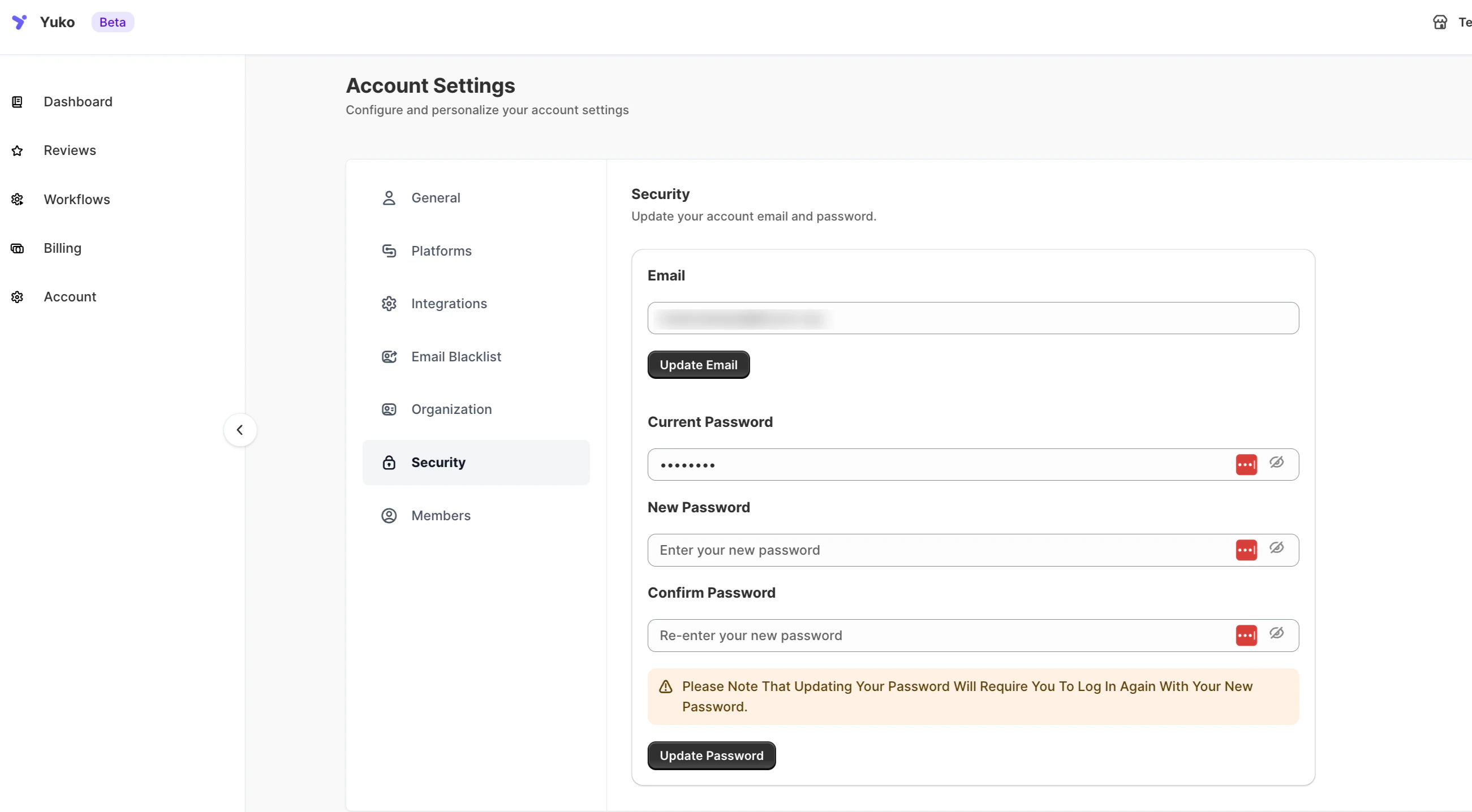
Manage your account’s login credentials and keep your Yuko workspace secure.\
You can update your registered email address and change your password anytime to maintain account safety.
### **Available Options**
| **Setting** | **Description** |
| :------------------- | :----------------------------------------------------------------------------------------------------- |
| **Email** | Update the email address associated with your Yuko account. Click **Update Email** to save the change. |
| **Current Password** | Enter your existing password to authorize updates. |
| **New Password** | Create a new secure password for your account. |
| **Confirm Password** | Re-enter the new password to confirm the change. |
| **Update Password** | Click to apply your new password. You’ll need to log in again using the updated credentials. |
### **Note**
Changing your password will automatically log you out. You’ll need to re-login using the new password to continue accessing your Yuko dashboard.
### **Overview**
Manage your account’s login credentials and keep your Yuko workspace secure.\
You can update your registered email address and change your password anytime to maintain account safety.
### **Available Options**
| **Setting** | **Description** |
| :------------------- | :----------------------------------------------------------------------------------------------------- |
| **Email** | Update the email address associated with your Yuko account. Click **Update Email** to save the change. |
| **Current Password** | Enter your existing password to authorize updates. |
| **New Password** | Create a new secure password for your account. |
| **Confirm Password** | Re-enter the new password to confirm the change. |
| **Update Password** | Click to apply your new password. You’ll need to log in again using the updated credentials. |
### **Note**
Changing your password will automatically log you out. You’ll need to re-login using the new password to continue accessing your Yuko dashboard.